


Anyone who wants to send newsletters will sooner or later face the question of which format is best suited for the content:
- Text
- HTML
Although emails were originally intended for plain text content, more and more HTML emails can be found in today's inboxes. They resemble web pages and can be viewed directly within an email client.
It is worth starting with the facts: where do HTML emails have advantages and disadvantages, and where does the text-only version perform better? After that, experience and additional factors can be taken into account.
Advantages and disadvantages of an HTML newsletter
There is no doubt about it: HTML emails look modern and appealing. A look at today's inboxes shows that HTML emails are now more common than pure text emails. It almost seems as if HTML has become the standard.
Advantages of HTML emails
HTML emails come with a wide range of attractive benefits:
- Almost unlimited possibilities for formatting and design — an email can look just like a website.
- A more professional appearance, which is especially helpful when building a strong brand with high recognition value.
- Individual elements can be highlighted with color to improve conversion rates.
- Many email clients attempt to display emails in HTML format by default.
- HTML is a mature and well-established markup language that will continue to be supported for a long time.
- Images or even videos can be embedded directly, significantly increasing the impact of an email.
Disadvantages of HTML emails
HTML emails also have their downsides:
- Due to the HTML source code, the file size is significantly larger than that of a plain text email.
- The appearance can vary across devices and email clients; display issues are hard to avoid completely.
- HTML emails are blocked by spam filters more often than simple text emails.
Advantages and disadvantages of a plain text newsletter
Plain text newsletters also offer advantages. At the same time, their limitations should be considered during planning to avoid unpleasant surprises later on.
Advantages of text emails
The following points speak in favor of using text emails:
- Small, compact, and resource-efficient when loading content.
- Almost every email client can display text emails without issues.
- The focus remains entirely on the message, without visual distractions.
- In many cases, better deliverability than HTML emails, supported by numerous statistics.
- When written well, text emails can be very effective "salespeople."
Disadvantages of text emails
On the other hand, there are some clear limitations:
- Very limited options for formatting or highlighting important content.
- Whether links are clickable depends heavily on the email client being used.
- The minimalist look can feel outdated and may hinder brand perception.
Which is better: HTML or text emails?
Comparing the advantages and disadvantages of both formats shows that each has its place. A general statement about which format is better or worse is not possible.
The decisive factor is the target audience. Some prefer classic text emails, others expect modern HTML emails. In practice, many newsletter senders now choose the HTML option because it feels more up to date.
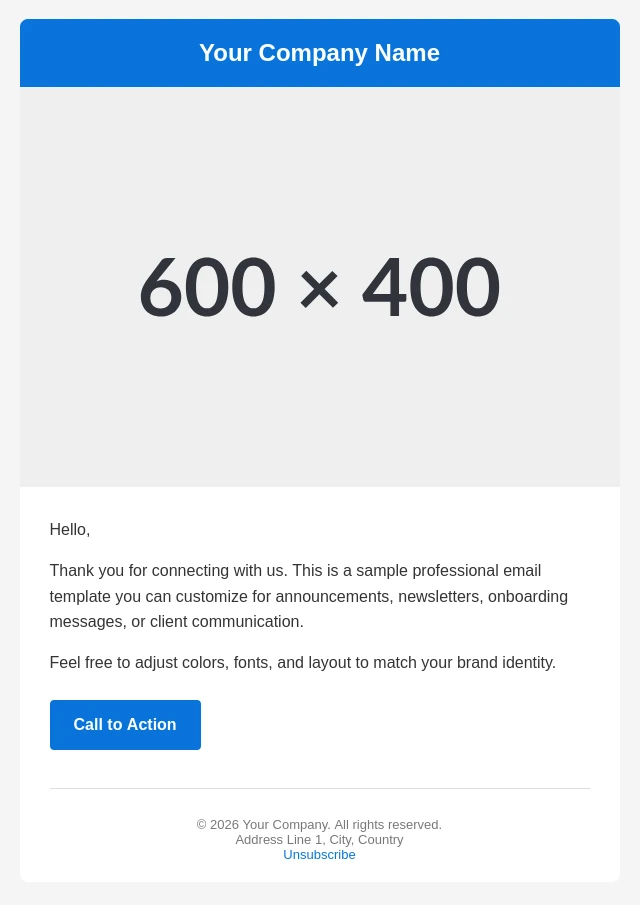
While HTML emails offer almost limitless options for design and formatting, text emails deliberately focus on pure content. No colors, no images — just black text on a white background. This simplicity can be surprisingly effective.
One major drawback of text emails concerns links. Successful email campaigns rely on guiding readers to websites via links, for example to trigger a purchase.
Many email programs automatically detect URLs and turn them into clickable links. Others do not, leaving a plain, non-clickable web address.
This is bad for the user experience — and bad for revenue.
HTML emails avoid this issue, as links are clearly defined and must be rendered clickable by the email client.
Another factor: the web is modern and visually rich. Many users expect emails to look modern as well. This is one of the reasons why most newsletters today are sent in HTML format.
The multi-format approach: HTML and text in one email
Even when there is uncertainty about the right format, newsletters should always be sent in both HTML and text format. This approach also helps avoid legal issues.
If an email is sent only in HTML format and cannot be displayed correctly, two risks arise:
- The recipient may see a blank or unreadable message.
- A legal warning may follow if mandatory information, such as the legal notice, is missing.
The second point in particular is critical. Every commercial email must include a complete legal notice and an unsubscribe link.
For this reason, every newsletter requires a separate text version, even if the primary format is HTML.
Modern newsletter software allows both HTML and text content to be defined in parallel. This option should always be used.
The "HTML text email" — a smart middle ground
Emails that focus primarily on text while using subtle HTML elements often work particularly well. Loud, blinking designs tend to distract from the actual message.
Emails with a black background and white text are also among the less popular options.
When HTML emails are used, basic design principles should be respected, or at least a user-friendly layout should be ensured.
A simple alternative is the so-called HTML text email: visually similar to a classic text email, enhanced with a few HTML elements such as bold or italic text, images, and clickable links.
- Looks like a text email but offers better readability and functionality.
- No design skills required — only basic HTML knowledge.
- A minimal structure reduces potential errors.
This approach is particularly suitable for newsletters with a strong focus on content. The recipient receives substantial text, useful emphasis, and working links.

Shop newsletters are different. In this case, product images and visual elements are expected.
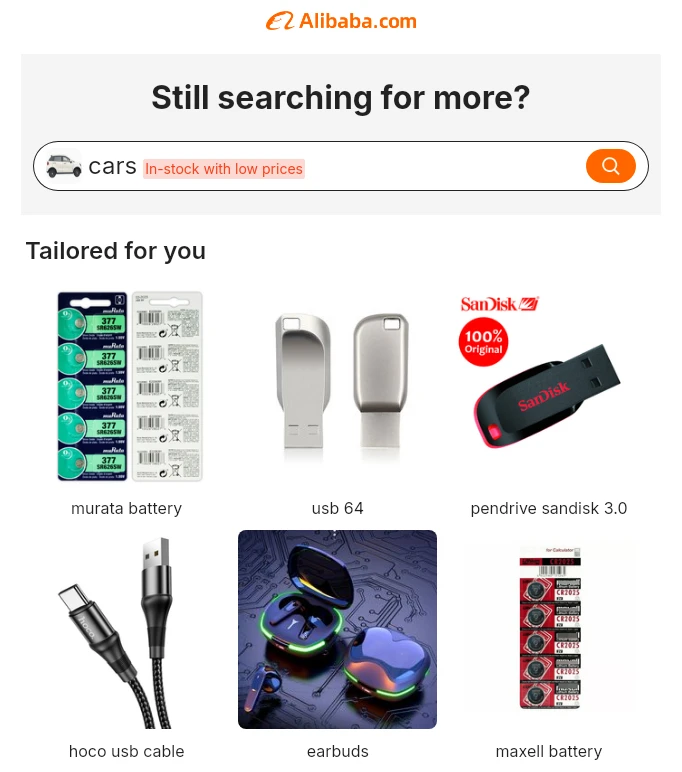
The promotional effect of such a newsletter can hardly be achieved with a pure text email.
There is no right or wrong
At its core, a newsletter usually pursues one of two goals:
- Delivering content.
- Encouraging an action, such as clicking a link.
Elaborately designed newsletters are not strictly necessary to achieve these goals. Simple emails containing text and links can be highly effective.
The most important element of any email is the message itself. Email was originally meant to be a tool for communication. Everything else is optional and can even reduce effectiveness.
What ultimately matters is the goal of the newsletter campaign and what works within the specific industry.
Still unsure? A split test provides clarity: one group receives the text version, the other the HTML version. The format that generates the most opens and actions is the better fit for that audience.
Statistics do not lie — people sometimes do.
Conclusion
It is impossible to say universally whether text or HTML emails are the better choice. In some industries, classic text emails work extremely well; in others, they feel out of place.
Shop operators should generally rely on HTML emails, as products need to be presented visually.
At the same time, an overloaded, graphic-heavy newsletter makes little sense if the audience expects clean, text-focused messages.
The final choice of format depends on the target audience, the industry, and the communication goal. Successful newsletter marketing means delivering exactly what recipients expect — not what seems best from a purely personal perspective.