

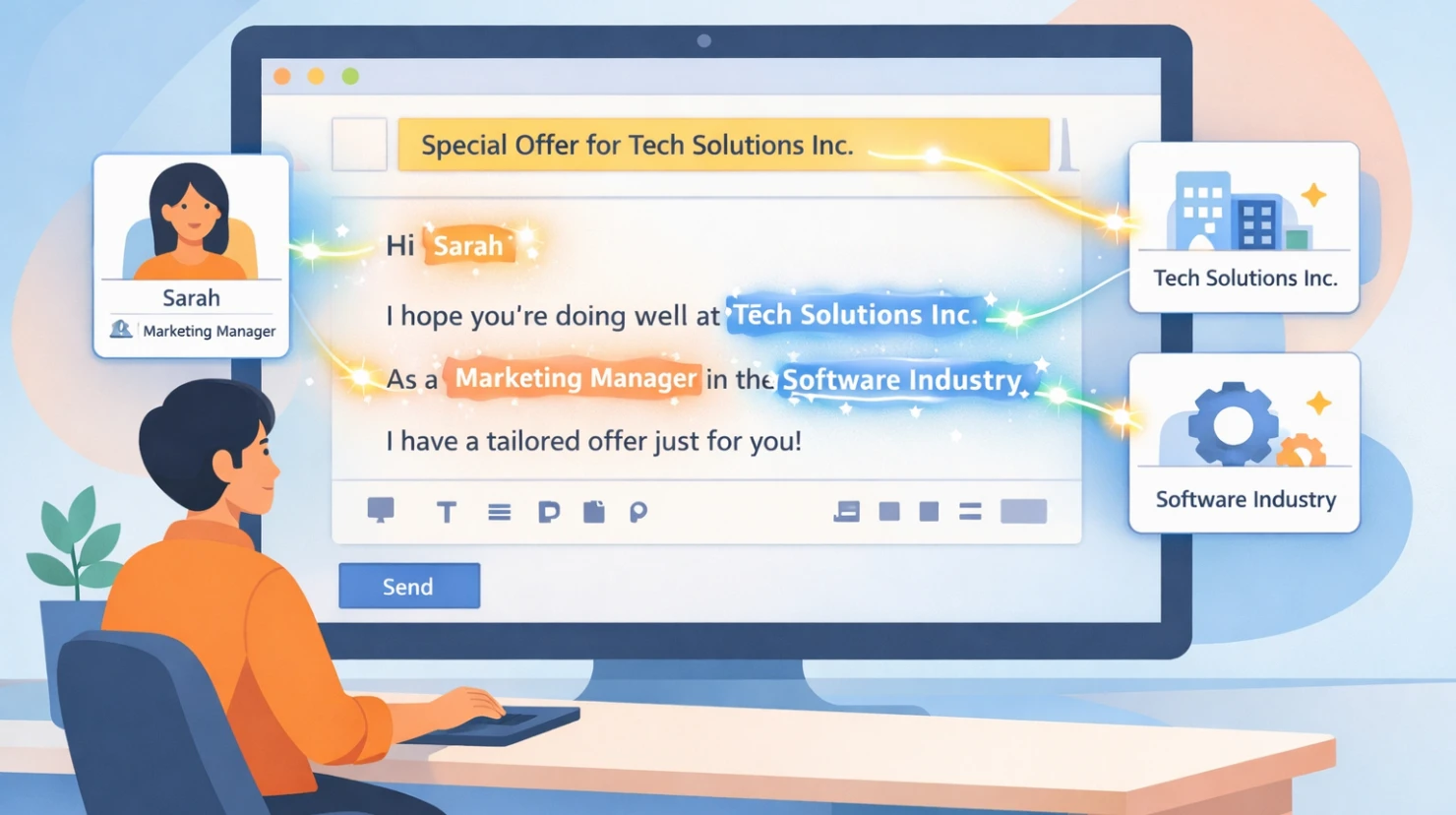
Many email marketing professionals use personalization to better tailor emails to readers' needs and make them feel more personal.
A "Hello Thomas" sounds much more direct and personal than a simple "Hello." While this certainly brings advantages such as more opens and clicks in some industries, personalization can even be harmful in others.
This article covers meaningful forms of personalization, their advantages and disadvantages, as well as practical tips. Among other things, it addresses the question of whether "Hello Thomas" is really better than a simple "Hello" as an email greeting.
Personalization in the subject line
A simple form of personalization takes place in the subject line: including a name or context (e.g. the last order). The reader sees their name in the subject line, making the email feel more "personal."
But it goes even further—and much better. Personalization can also include other information. Take a look at these two subject line examples:
Thank you for your order!Your order #478547In the second example, we included the order number in the subject line as part of the personalization. This ensures that the email attracts more attention than it would without this information.
As a result, we achieve greater relevance and higher email open rates.
Personalization in the greeting
The reader has opened the email, so now another form of email personalization comes into play: the greeting.
Many email senders swear by the effectiveness of using a personal greeting in emails. For them, a "Hello Thomas" works better than a simple "Hello."
There is feedback supporting the effectiveness of this type of personalization, but the information must first be collected, usually directly in the signup form.
The challenge is increasing the number of fields in the signup form without significantly reducing the signup rate. This is exactly where the trade-off of adding more input fields becomes apparent.
The goal is to keep forms lean and simple in order to achieve the highest possible number of signups. Fields that do not collect important data should not be included in the form.
Content personalization
Of course, there is also content personalization. Here, parts or even the entire content of the email is personalized. In practice, it can look like this:
A reader is interested in the hiking boots product category. When signing up for the newsletter, they selected this interest. We therefore send this reader emails focused on hiking boots.
Another user expressed an interest in sports equipment and therefore receives email content about this completely different topic.
As we can see, both readers subscribed to the newsletter, yet they receive entirely different email content. This is what strong email personalization looks like.
Advantages of personalization
Personalization offers email marketers several advantages:
- Relevance: Content is better matched to the recipient's situation.
- Performance: Higher open, click, and conversion rates.
- Relationship: Creates the feeling of being "understood" when done well.
The greatest advantage is relevance. Personalization increases relevance and leads to more interactions with the email. Someone who finds the email interesting is more likely to engage with it than someone who considers it irrelevant.
Personalization can also strengthen the relationship because the reader feels understood and is reached at exactly the right time.
All of this improves email performance, resulting in more clicks and revenue.
Disadvantages and risks
Some notable disadvantages of email personalization include:
- Additional form fields: As a rule, every extra field in a signup form reduces the signup rate.
- Data quality: Incorrect or outdated data can lead to embarrassing mistakes.
- Trust: Too much personalization can feel intrusive.
- Complexity: More logic, more maintenance, and a greater risk of errors.
- Legal aspects: Data protection, consent, and transparency.
These disadvantages show that personalization is a double-edged sword. When used sparingly and correctly, it improves email marketing performance. On the other hand, it can also be highly damaging to the entire email system.
Tips for meaningful personalization
Simple measures can further improve personalization:
- Check your data: Regularly verify names, greetings, and segmentation.
- Start simple: It is better to have a few clean personalization elements than complex, error-prone setups.
- Test "Hello %first_name%": Run A/B tests with and without the recipient's name, depending on your audience and context.
- Provide clear value: Use personalization only where it genuinely helps the recipient.
- Consider the tone: Personalization must fit the brand and the relationship.
Perhaps the best tip is to practice meaningful personalization. Email readers have long since learned what personalization is. A personal "Hello Thomas" is unlikely to surprise anyone anymore.
Personalization: Yes or no?
Personalization still works today when it is applied correctly. However, it is not a tool that guarantees results. Strong email campaigns can be created both with and without personalization.
Email readers now pay relatively little attention to personalization and place much greater value on the actual benefit of the emails that land in their inbox. That is where the focus should be, using personalization only where it truly makes sense.
This translation preserves the original HTML structure and meaning as closely as possible while using natural English where a literal translation would sound awkward.